01
One light. Two ways.
Use your rear flashlight, your screen, or both. Screen light works even on a phone without a flash.
 Nightsafe.
YOUR LIGHT AFTER DARK
For the walk home, the last page, and the little things after sunset. A simple light, right where you need it.
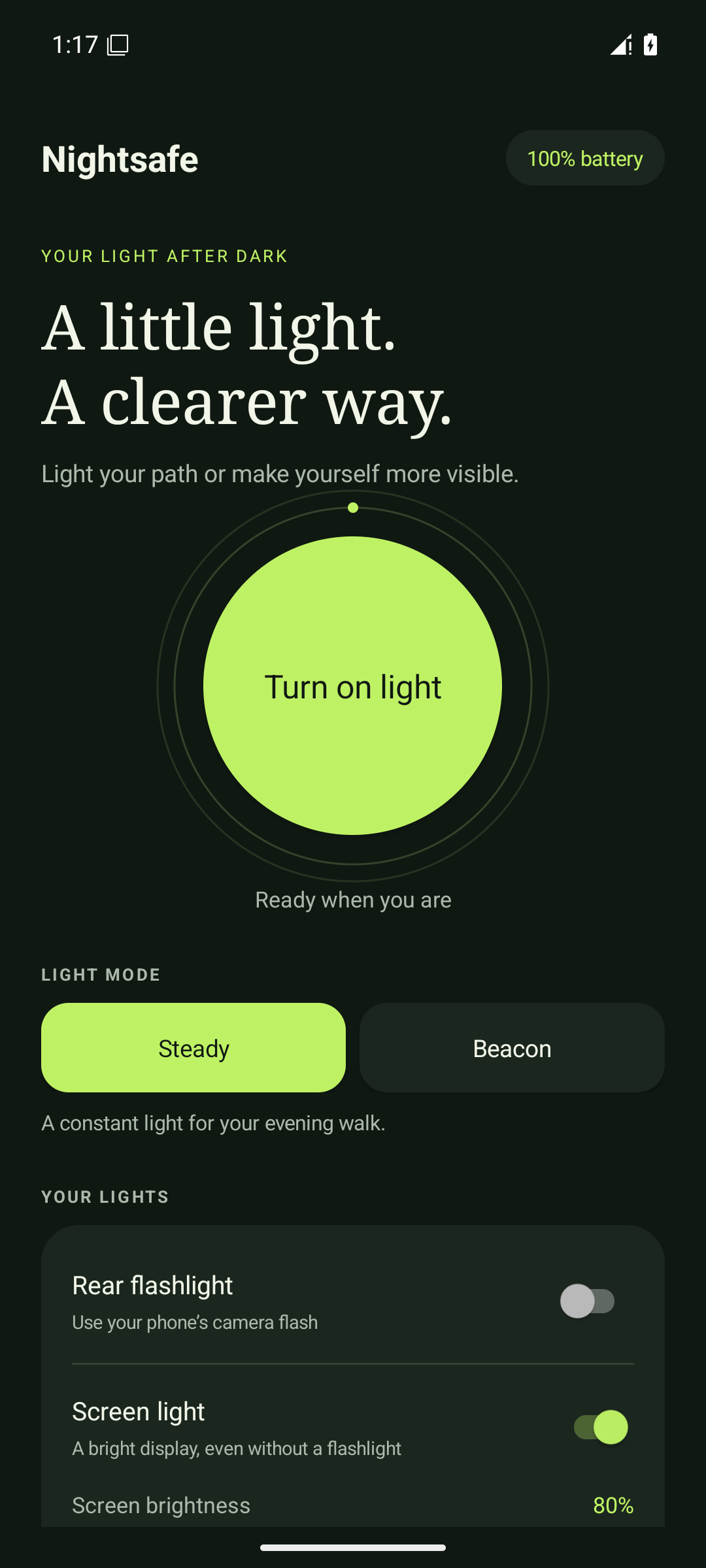
A first look at Nightsafe 2.0. The redesigned update is coming to Google Play; the store currently offers the earlier version.
DESIGNED FOR THE EVERYDAY
Thoughtful controls that stay out of your way. Set your light, find your rhythm, and get on with your evening.
Use your rear flashlight, your screen, or both. Screen light works even on a phone without a flash.
A warm glow, clean white, or soft red. Choose your screen brightness and make the light your own.
In the new version, leaving the app turns the light off. Your phone’s brightness setting stays as you left it.
A LIGHT FOR YOUR MOMENT
Preview the screen colours. On your phone, switch between a steady light and an optional flashing beacon.
A warmer glow for the little things.
SCREEN COLOUR PREVIEW
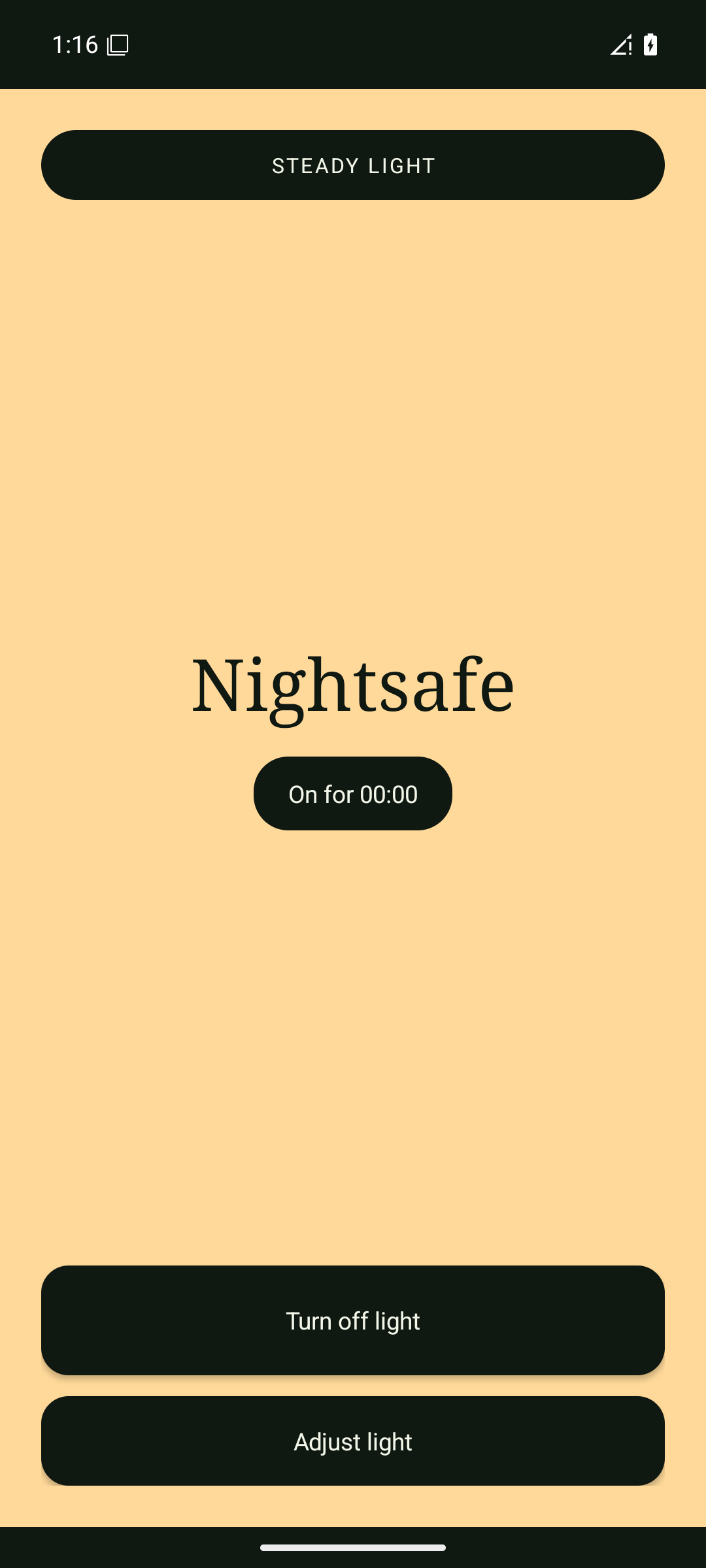
A closer look
Yes. The lighting controls work without an internet connection. Advertising and privacy-choice updates need a connection.
Android uses camera access to control the rear flashlight. Nightsafe does not take photos or record video. In 2.0, you can use screen light without camera permission.
Yes. The app uses Google AdMob. In the 2.0 update, a single banner is shown only while the light is inactive. Read our privacy policy for details about advertising data and choices.
This website is available in English and Arabic. Nightsafe 2.0 also supports Persian and right-to-left layouts.
For app support or a privacy request, use Developer contact on Google Play. Please include your app version and a short description; do not send passwords or other sensitive information.
NIGHTSAFE
For all the ordinary moments that need a little brightness.
View on Google Play